
Redesigning SalesOS: Zoominfo's flagship product
Redesigned the industry's leading Go-To-Market platform into a clean AI-enabled, search-first experience.
Problem
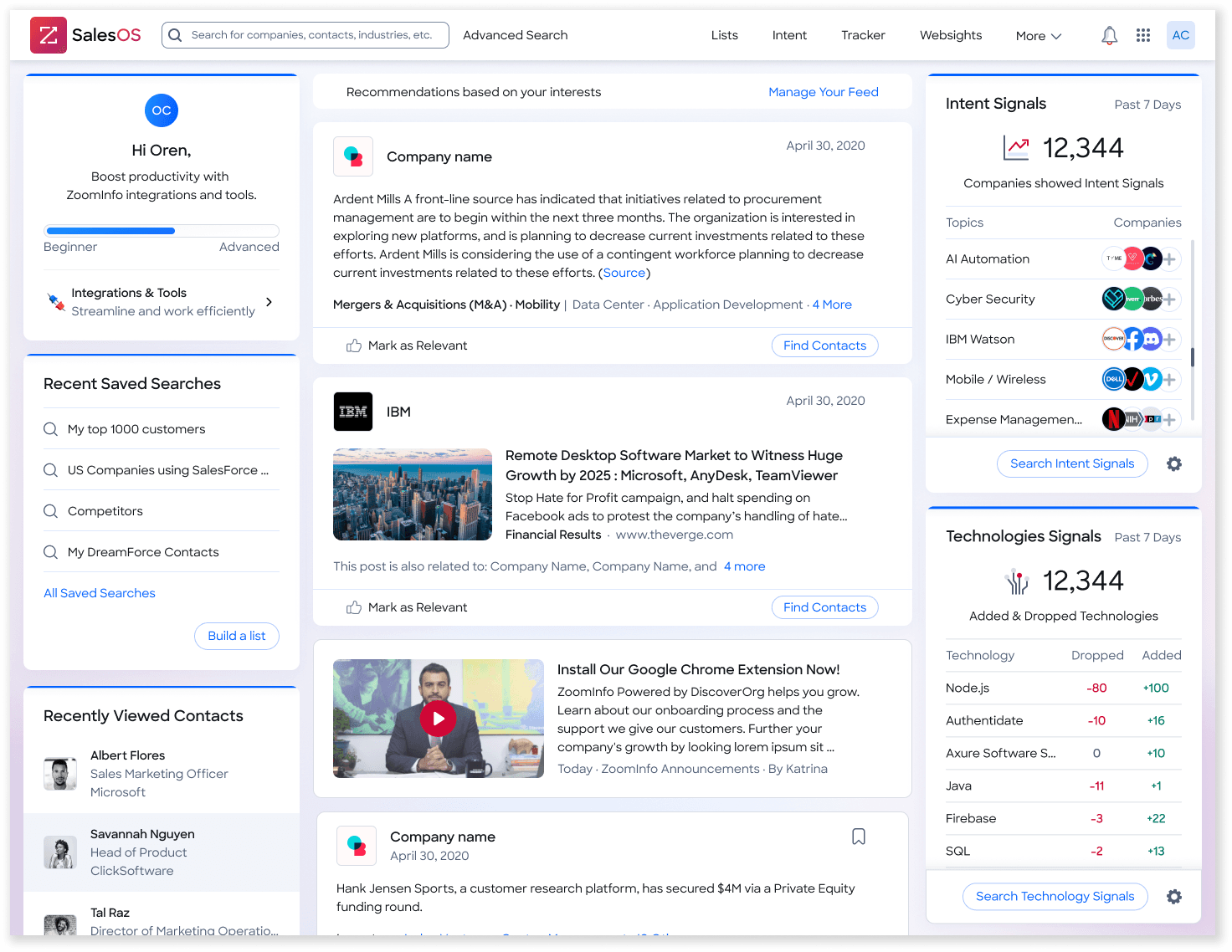
After years of constant updates, ZoomInfo's homepage tried to show everything at once: an onboarding tracker, integrations, saved searches, recently viewed contacts, a full recommendations feed, and intent signal widgets stacked across three columns. Most of it was low-relevance and hard to configure, so people skipped the homepage and went straight to what they actually came for: search.
Opportunity
As part of a data team offsite, an entity recognition model using ChatGPT was created that translates natural language into an Advanced Search query. Given the excitement around AI/ChatGPT and the potential this feature, and Advanced Entity Recognition, had to simplify the overall search experience, I led the design to test this capability on a limited set of SalesOS users to determine:
- Do users prefer this natural language search to a traditional advanced search?
- Does natural language search lead to better outcomes as measured by search conversions, time to value?
- What types of searches users will enter in a search box without restrictions?
Solution
New AI homepage — a natural-language front door for SalesOS.
I cut the modules to a single instruction in a search field: “Describe your perfect contact or company list,” with working examples split into finding Contacts or Companies. The examples do the onboarding the old page tried to do with widgets.
Continue or refine search query
After landing in search results, I wanted users to keep working in the familiar search UX and their filters — while also being able to edit or add to their query inline, without having to go back to the homepage again.
Didn't like it? Let us know
I built feedback into the flow: thumbs up/down on every result set (up → thank-you toast; down → a “Didn't like the experience?” form)
If a user toggles to revert to the old homepage, I added a quick survey to understand why. Every interaction was a data point — including from the people who turned it off.
Outcomes
We released the alpha to 15 customers in the search-language pilot to gather feedback.
13 of 15 testers preferred the new homepage to the existing experience.
“[Google-like search] could be very useful in the long-term”
“[Natural Language] would be beneficial”
“We think that our users could easily use ChatGPT search with a few examples [paraphrased]”
“Natural language search would be very useful for me”
Impact
- Decreased time to value — by providing users a simplified method of searching, we decreased the effort to find the right companies and contacts for prospecting.
- Improved Search UX — no longer requiring users to learn how to use all of our filters greatly simplified the search experience.
- [Marketing] Face the Competition — According to Google, ZI was perceived as "manual" compared to Apollo.io's "AI-driven" capabilities. Simplifying search with best-in-class natural language capabilities served as a shot across the bow for Apollo.io and an opportunity to capitalize on market sentiment around AI.
Understanding the Work
Working with the PM, we turned the alpha's goals into a shared spec — the product requirements for what it had to do — while I followed our team's end-to-end design process to get there.
- MustA user has a new search box that supports natural language search
- MustProvide basic guidance on the types of queries a user can perform
- MustA user can easily edit existing queries
- MustA user can see the last 3 queries while in the same session and tab
- MustA user is notified if their query will likely return too many resultsUnder five words → prompt the user to add more search terms
- MustError handling for when the model times out during high-load timesOver 20 seconds → time-out with an error to retry
- MustTrack the user's full query and the parsed results
- MustA user can only enter 1024 characters
- NiceA user can enter a search and see the results on the same page
- Pre-kickoff: notify UX/UI leads of the upcoming project and check for dependencies across other features and products.
- Kickoff: align on scope, expectations, deadlines, resourcing, and committed delivery dates.
- Define goals, personas, workflows, high-level requirements, assumptions, KPIs and KSFs (design lead included).
MilestonePresent research & validate with senior stakeholders
- Map the current vs. proposed experience and the relevant ZI platform patterns.
- Pull external references and inspiration for AI-driven search.
- Check Muze (the design system) for existing components before designing new ones.
MilestoneMuze / UXUI governance design review
- Run brainstorms/workshops with UX/UI leads, PM/owner, dev lead and stakeholders.
- Get concept approval from design lead, product, dev lead and main stakeholders.
- Align cross-team in #uxui_show_and_tell and with Muze governance; exec/CPO review for tier 1 & 2.
MilestonePM, Dev & UX/UI signoff — CPO review in some cases
- Create the UX detailed design; approve with UX lead, PM, UI team and dev in pre-grooming.
- Run an accessibility review; flag new global components so dev can scope them for the library.
- Create the UI detailed design; share in #designreview_before_dev for Muze/governance alignment.
- Hand off: prep the file, share with PM, leads and dev, and attach Figma links to the Jira ticket.
MilestoneUX & UI signoff, Muze design review
- QA the built feature against the designs.
- Log and triage issues, then re-validate the fixes before release.
MilestoneUI signoff before feature/project release
- Define and track UX/UI metrics post-launch with the PM and a data analyst.
Gathering References
Before designing, I studied how leading products were framing AI-driven search and chat — pulling patterns and inspiration from these references.
Mapping out user flow
Before touching pixels, I mapped the end-to-end journey — how a user enters AI search, acts on results, refines with follow-ups, and can always toggle back to classic search.
States. States. States
The happy path was the easy part — the real design work lived in the edge cases. Open input invites vague, oversized, and broken requests, so I detailed every state of the search experience down to the pixel: the default prompt, the “too few words” nudge, single- and multi-line overflow, character limits, and exact widths and spacing — so the model's uncertainty lived in the UI, and nothing was left to interpretation at handoff.
Dev Handoff
I annotated every card so dev understood the nuances up front — cutting down the back-and-forth of chasing each other down for calls and keeping the build moving efficiently.
Bugs & Improvements
I kept iterating on what dev shipped to Staging — there are almost always discrepancies to catch and refine. Alongside the fixes, I logged JIRA tickets for future enhancements as new decisions were approved through leadership.
Playground
#1 Ai Chatbot
I tried an AI Chatbot experience as a floating panel over results, with a live result count and pre-written follow-up suggestions. Leadership pushed back as they felt splitting attention between a chatbox and the table was a lot.
#2 Search via Filters
I also tried adding AI queries within the filters panel since that's the most used part of the search UX — but it felt like over-complicating rather than simplifying the experience.